Conventional machine traffic lights are now a thing of the past. Our new signaling solutions ensure greater transparency and better process reliability in production and intralogistics.
The green traffic light suddenly changes to yellow and then red. It’s a lesson we learn from childhood: whether you are on foot or in a car, when the light turns red, you stop and wait for green. These colors provide clear signals as to how we should act in and around road traffic. The colors of these signals are clearly visible, even from a distance. Traffic lights, road signs and electronic displays all play a major role on our roads – but signal technology is crucially important in other sectors, too. In the railway industry, for example, safety technology includes signaling systems, not only at the tracks, but at level crossings, points and signal boxes, too. Besides being used on our roads and railways, signaling solutions are also important in industrial settings. Here, too, clearly defined color codes indicate different operating statuses of machines. IEC 60073 sets out identification and coding principles for indicators and actuators in man-machine interfaces. These principles are based on the familiar colors for light signals. The visual color coding is used for operating elements and indicators. Indicator lights and tower lights form part of signal technology that is relevant to safety, so European standard EN ISO 13849-1 is also key. A specific meaning is ascribed to each signal color.
🔴 Red = dangerous status
Indicates the highest warning level. Danger due to moving machine parts or electrical voltage. System failure or abnormal values. Immediate action is required.
🟡 Yellow/orange = critical status is imminent
Indicates overloading or short-term breach of standard values. Monitoring or intervention is required.
🟢 Green = normal, safe status
The system is ready for use. No action is required.
🔵 Blue = customized meaning
It must not be used to indicate a meaning defined for red, yellow, orange or green. A defined action is required.
⚪ White = neutral meaning
Application-specific definition of the meaning. This color is often used to indicate that the machine is live.
Let’s take an example from the item European headquarters at the Piepersberg site. “It’s difficult to keep track of all the different processes taking place in the large production workshop,” says Uwe Henkels, who is in charge of strategic production at item. “There are large numbers of staff working there, and there’s a great deal of movement going on,” he continues. The numerous work benches have tall structures, so it’s not easy to see them properly. That’s why they’ve been fitted with signal technology. Lights have been positioned above the structures and are clearly visible from just about anywhere in the workshop. When the lights are green, the control station staff know that all work benches are occupied and that operations are going smoothly. If the lights are flashing blue or white, the employee at that work bench needs help. In this case, a flashing white light means that technical support from the control station staff is required, while a flashing blue light indicates that the employee needs assistance from the quality assurance team. As these applications show, signal technology offers a simple way of visualizing the status at any given work bench. Of course, the signal technology can also be used in a conventional way, e.g. in the form of machine traffic lights with three colours – green, yellow and red – to indicate the machine status. You can therefore cover a wide range of applications with our new signaling solutions. You can choose from an extensive portfolio of products, from simple lights and tower lights (with or without a buzzer) to LED strips.
 item solutions for customized signaling
Whether you want to display the operating status of machines and industrial systems or visualize the status of processes at the work bench, our signaling solutions will ensure your staff can always see what’s going on.
Integrate LED strips with ease
State-of-the-art signaling makes processes within a system more transparent. The new Multi-Segment RGB LED Strips from item can be easily integrated into machine cabins, for example. The LED strip lights up in one color along its entire length, so it is an ideal way of indicating the status of a process. However, these signals are also an equally good solution for visualizing the count-down of processing time. The number of lit segments indicates how much longer is left to go. Staff therefore know intuitively how much longer the machine will be running and when it will stop. They do not need to keep returning to the machine to check the progress of the process, but can instead rely on the signal and also see from a certain distance if and when action is required. Signal technology ensures greater process reliability. Depending on their design, the bright LED strips can be controlled as one end-to-end strip or in segments. Each LED segment can be freely parameterized using IO-Link. The compatible controller makes it easy to link everything up to a higher-level control system. IO-Link can be used to parameterize not only the LED strips, but also the Multi-Segment RGB Light, the 1-Segment RGB Indicator Light and the 3-Segment Indicator Light.
Pre-set operating modes make commissioning easier
The Multi-Segment RGB LED Strip Controller IO-Link offers four pre-set operating modes: countdown mode, fill level mode, segment display mode and marker light mode. This means no programming knowledge is needed for commissioning. As described in the previous example, the countdown operating mode visualizes process time as it elapses. Colors, flashing mode and duration can all be freely chosen. The LED strip is available in lengths of up to 6000 mm and can be shortened in 17 mm increments to suit specific requirements. The IO-Link Controller uses an innovative method to determine the ideal length of the strip. The fill level operating mode is the ideal solution for visualizing rising or falling fill levels. Freely definable warning and alarm thresholds show when a critical status has been reached due to levels falling too low or climbing too high.
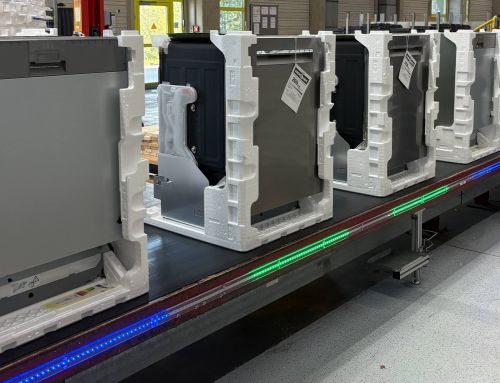
Would you like another example? “There’s a part of the warehouse where we stack pallets on top of each other,” Henkels explains. “Pallets are continually removed from the stack,” he continues. A Multi-Segment RGB LED Strip is used to clearly indicate the level of the stack. The strip initially lights up in green to the same height as the top of the stack of pallets. As the stack gets smaller, individual LEDs go out. When there are only a few pallets left in the stack, the strip indicates the relevant level in yellow and then in red to show that the pallets are running out and more are needed. This means the fork-lift truck driver knows precisely when to deliver new pallets. In the segment display mode, sections of the LED strip can be controlled individually, so they can be parametrised in the same way as a typical machine traffic light, for example. Statuses, which can include repair or maintenance, for instance, can be visually and clearly depicted via patterns of lights or flashing patterns. In marker light mode, the LED strip lights up in a single color to clearly indicate a particular process status. There are various flashing patterns to choose from, and colors can also be adjusted individually. These modes can also be combined if necessary, so you have a whole host of possibilities available to you for customizing the way your signaling task is displayed.
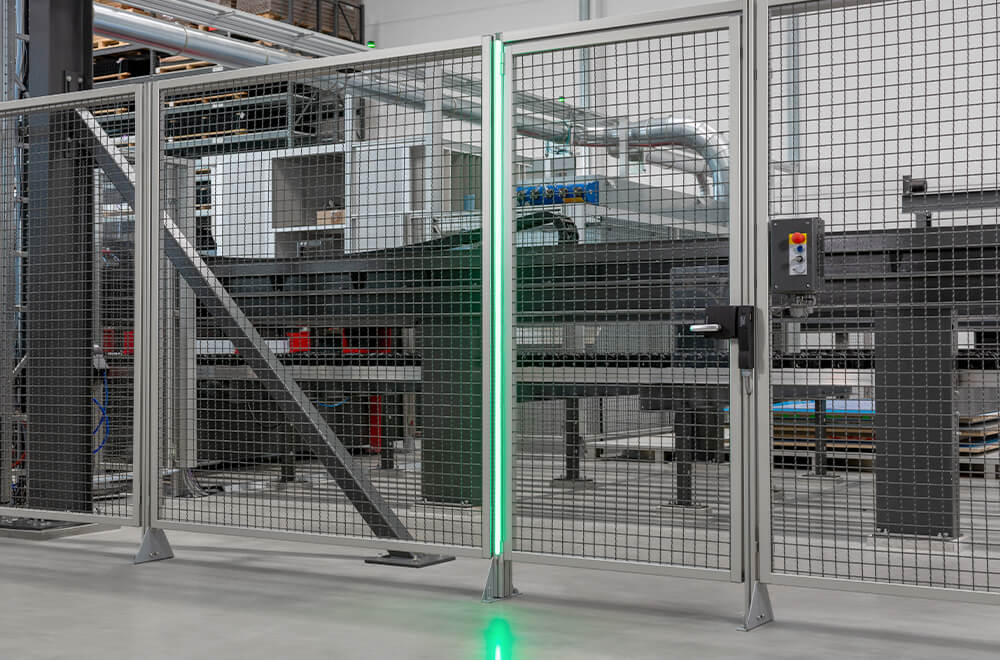
Here you can see the Multi-Segment RGB LED Strip in marker light mode.
All in all – greater transparency and better process reliability thanks to innovative signal technology
Intelligent signal technology not only ensures greater transparency and enhanced reliability of processes, but also helps staff who are new to the company or the section in question to learn the ropes. Of course, dashboards can also be used to visualize workflows. “However, in our experience, information provided via a dashboard isn’t as easy to grasp as information communicated via lights,” Henkels explains. “What’s more, with lights, the colors can be seen from further away, and there are no language barriers,” he continues. Appropriate signal technology can therefore also improve communications. Visual and acoustic indicators help boost the clarity of processes, for example.
With our signal technology products, we can now offer you a wide range of options for visualizing the operating status of your machines or industrial systems. What’s more, our freely settable colors and flashing patterns provide you with maximum flexibility.
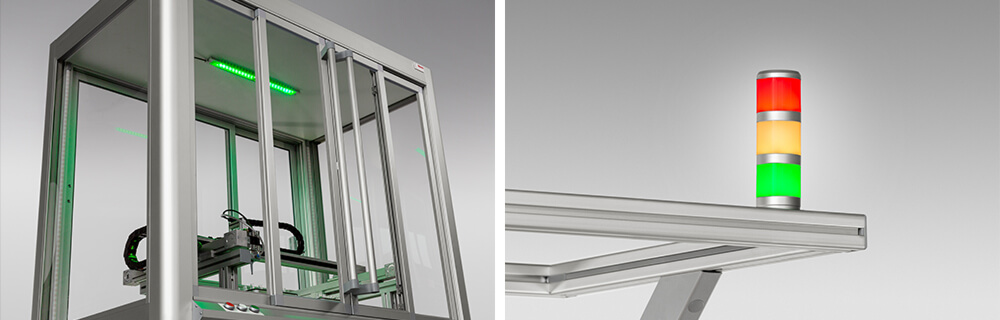
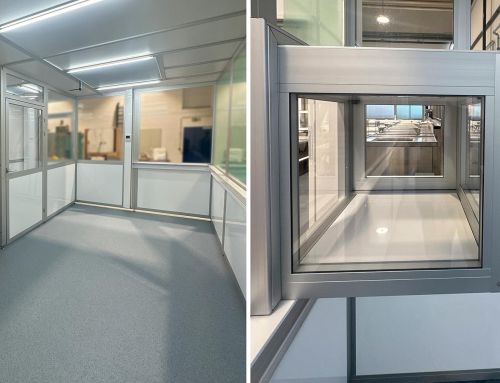
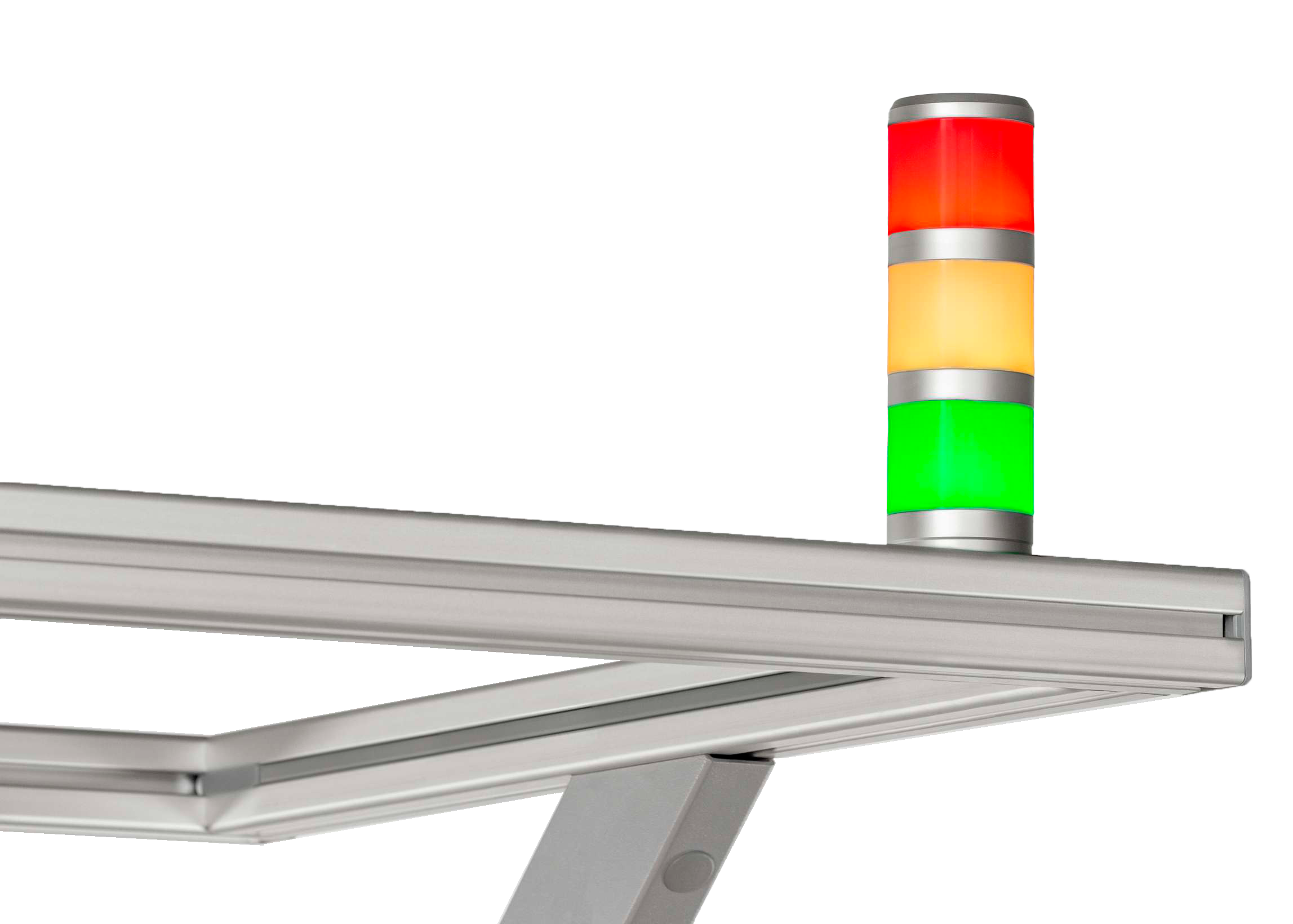
Our signal technology in use: an LED strip (left) on the ceiling of a machine cabin quite literally gives the green light. The 3-Segment Indicator Light (right) is fixed to the table overhang and visualizes the status of working processes.